Redis Crash and Thundering Herd Recovery
Learn what happens when Redis crashes, why traffic stampedes the database, and how stale-while-revalidate and locks reduce blast radius.
Why this matters
Your Redis instance serves 25,000 requests per second with a 97% hit rate. Your database comfortably handles the remaining 750 qps of cache misses. Then Redis crashes. In the next second, all 25,000 requests per second — every single one — hit the database directly.
The database can handle 2,000 qps under normal conditions. It’s now receiving 12.5x its capacity.
This isn’t a theoretical scenario. It’s Tuesday at 2 PM when your cloud provider’s network hiccup kills the Redis primary, Sentinel hasn’t promoted the replica yet, and your application’s connection timeout burns through 30 seconds of retries before falling back to the database. By then, the database’s connection pool is saturated, queries are queuing for 8 seconds, and your upstream API gateway is returning 504s to every user.
The thundering herd problem isn’t just about the crash itself — it’s about the cascade that follows. Even after Redis restarts, it comes back with a cold cache. Every key is a miss. The stampede continues until the cache warms up, which can take 10–30 minutes depending on your traffic patterns.
Understanding this cascade — and building defenses against it — is what separates a resilient architecture from one that turns a 30-second blip into a 45-minute outage.
My rule of thumb The cache failure path must be capacity-tested. If the database cannot survive a cold cache, Redis is not an optimization; it is a dependency with a blast radius.
The mental model
Under normal operation, the cache-aside pattern works beautifully. The application checks Redis on every read. Hits return in under 1ms. Misses trigger a database query (50–200ms), the result is written back to Redis with a TTL, and subsequent requests for the same key are served from cache.
When Redis crashes, this pattern inverts catastrophically. Every request becomes a miss. The application falls through to the database for every read.
If you’re running 20 application instances with 50 database connections each, that’s 1,000 simultaneous database connections — all executing the same popular queries. Row-level locks cause contention. The database’s query planner can’t keep up. Buffer pool hit rate drops as the working set is suddenly accessed through the database instead of the cache.
Cold cache recovery makes things worse. When Redis restarts, it has zero keys. The first access to every key is a guaranteed miss.
For a system with 500,000 unique keys accessed per hour, it takes roughly 500,000 / request_rate_per_key seconds to rebuild the cache organically. During this window — which can last 15–30 minutes — the database handles elevated load as the cache hit rate gradually climbs from 0% back to 95%.
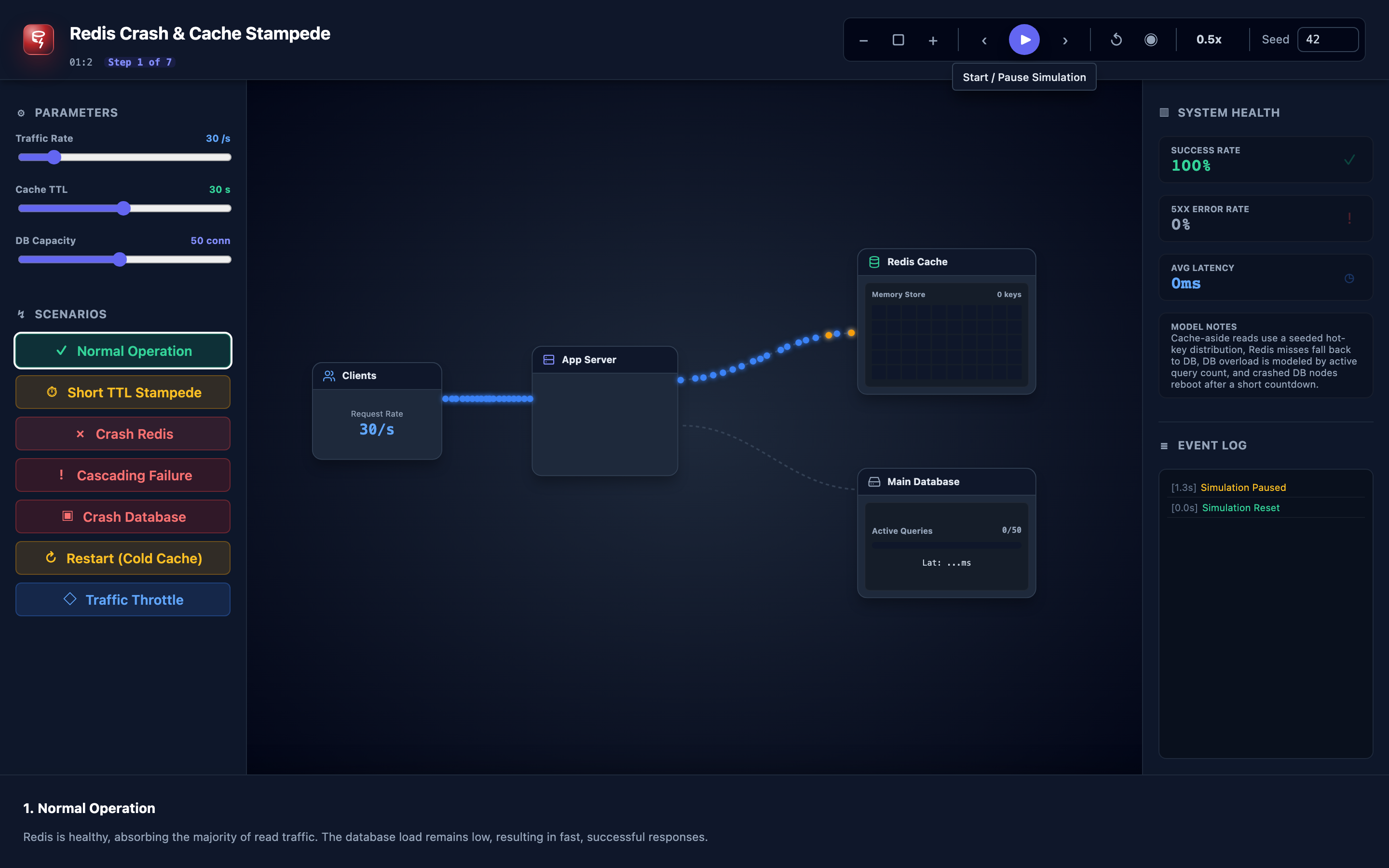
The interactive demo models this exact cascade: normal operation with high hit rates → crash → database overload with rising latency and errors → restart → cold cache stampede → gradual recovery as keys populate.
Decisions that matter
| Parameter | Range / Options | Low End | High End |
|---|---|---|---|
| Request rate | 100–100,000 rps | Low traffic minimizes stampede impact; DB can absorb the full miss load | High traffic (50K+ rps) during a crash overwhelms any unprotected database within seconds |
| Cache TTL | 1 second – 24 hours | Short TTLs mean smaller cache footprint but constant background miss traffic; avalanche risk during mass expiry | Long TTLs keep data cached through most incidents but serve stale data; cold start still affects all keys |
| Database capacity | Max concurrent queries | Low DB capacity (500 qps) means even partial cache loss causes overload | High DB capacity (10K+ qps) provides headroom during cache failures but costs more to maintain |
| Connection pool size | Per-app-instance DB connections | Small pools (10 connections) limit stampede damage per instance but cause queue starvation under normal miss traffic | Large pools (100 connections) handle burst misses better but multiply the stampede when all instances fall through simultaneously |
| Circuit breaker threshold | Error rate % / timeout | Aggressive threshold (10% errors) trips quickly, returning fast failures but potentially blocking recovery | Lenient threshold (50% errors) lets more requests through to the struggling database, risking deeper cascading failure |
Where it breaks: Database Lock Contention From Stampeded Queries
The failure mode: Redis crashes and 15,000 concurrent requests per second fall through to the database. 8,000 of those requests are for the same 50 popular product pages.
Each query executes SELECT * FROM products WHERE id = ? FOR UPDATE — the application uses pessimistic locking for inventory consistency. The database acquires row-level locks on the same 50 rows, and every concurrent query for the same product blocks waiting for the lock.
Lock wait timeout is 5 seconds. Queries pile up behind each other, creating a chain of blocked transactions that consumes all available database connections.
What you will notice:
- PostgreSQL
pg_stat_activityshows hundreds of queries inwait_event_type = Lock,wait_event = relation pg_locksview shows dozens ofExclusiveLockholders with hundreds of waiters on the same tuple- Database
p99latency jumps from50msto5,000ms+ (lock wait timeout) - Application logs show
LockWaitTimeoutExceptionandConnectionPoolExhaustederrors alternating pg_stat_database.deadlockscounter may increment if circular lock dependencies form
What I would do:
Implement a distributed lock (Redlock pattern) at the application layer so that only one request per cache key rebuilds the cache, while others wait briefly and retry:
def get_product_with_lock(product_id: int, redis_client, db):
    # Check cache first
    cached = redis_client.get(f"product:{product_id}")
    if cached:
        return deserialize(cached)

    # Try to acquire distributed lock for this key
    lock_key = f"lock:product:{product_id}"
    if redis_client.set(lock_key, "1", nx=True, ex=5):
        try:
            product = db.query("SELECT * FROM products WHERE id = %s", product_id)
            redis_client.setex(f"product:{product_id}", 300, serialize(product))
            return product
        finally:
            redis_client.delete(lock_key)
    else:
        # Another instance is rebuilding — wait and retry
        time.sleep(0.1)
        return get_product_with_lock(product_id, redis_client, db)
But wait — if Redis crashed, you can’t use Redis for locking. Use a fallback lock on a separate coordination service (ZooKeeper, etcd) or implement application-level rate limiting to the database with a local semaphore.
Warning If Redis is your only coordination service, a Redis crash means you lose both your cache AND your locking mechanism. Always have a fallback lock strategy on a separate system like
etcdor ZooKeeper.
Where it breaks: Connection Pool Starvation
The failure mode: Your application runs 12 pods, each with a database connection pool of 20 connections (240 total). Under normal cache hit rates (97%), only 8–10 connections per pod are actively used for cache misses.
When Redis dies, all 20 connections per pod are immediately consumed. The pool is exhausted. New incoming requests wait in the pool queue. The queue timeout is 3 seconds.
Requests that entered the queue never get a connection because existing queries are running 500ms+ each against the overloaded database.
What you will notice:
- HikariCP (or your pool library) metrics show
active_connections = max_pool_sizeandpending_threadsgrowing linearly - Application latency p50 jumps to the pool’s
connectionTimeoutvalue (3000ms) — requests are spending all their time waiting for a pool slot, not executing queries - Thread dump shows hundreds of threads blocked on
HikariPool.getConnection()with a 3-second timeout stack trace - Kubernetes pod CPU drops paradoxically — threads are blocked waiting, not computing
What I would do:
Configure your connection pool with aggressive timeout and rejection:
# HikariCP configuration
spring:
  datasource:
    hikari:
      maximum-pool-size: 20
      connection-timeout: 500     # Fail fast instead of waiting 30s
      max-lifetime: 300000
      minimum-idle: 5
Set connection-timeout to 500ms instead of the default 30 seconds. If a connection isn’t available in 500ms, fail the request immediately and return a degraded response (cached stale data, generic fallback page, or a 503 with Retry-After header). This prevents request queuing from consuming all application threads.
Add a circuit breaker (e.g., Resilience4j) around your database calls that trips after 50% error rate in a 10-second window, returning fast failures without even attempting a database connection:
@CircuitBreaker(name = "database", fallbackMethod = "getProductFallback")
public Product getProduct(int id) {
    return jdbcTemplate.queryForObject("SELECT * FROM products WHERE id = ?", Product.class, id);
}

public Product getProductFallback(int id, Exception e) {
    return Product.defaultProduct(); // Return a safe default
}
Where it breaks: Cascading Timeouts to Upstream Services
The failure mode: Your product service depends on Redis for caching. The API gateway has a 5-second timeout for calls to the product service. When Redis crashes and the database is overloaded, product service response times climb to 4–8 seconds. The API gateway starts timing out 60% of requests.
The mobile app, which calls the API gateway with a 10-second timeout, shows loading spinners. Users tap retry, doubling the request volume. The API gateway’s thread pool (200 threads) saturates from retry traffic.
Now the user service, which also runs behind the same gateway, becomes unreachable — even though it has nothing to do with Redis.
What you will notice:
- Distributed tracing (Jaeger/Zipkin) shows the product service span taking 4–8 seconds, with the API gateway span timing out at 5 seconds
- API gateway metrics show
upstream_response_time_secondshistograms shifting right, with 60% of requests exceeding the timeout threshold - Unrelated services (user service, search service) behind the same gateway show elevated error rates even though their backends are healthy
- Client-side retry metrics double the effective request rate —
requests_totalin the gateway jumps 2x despite no real traffic increase
What I would do:
Implement stale-while-revalidate at the application layer. Maintain a local in-process cache (Caffeine, Guava) with a 30-second TTL as a fallback. If Redis is down and the database is slow, serve stale data from the local cache immediately:
LoadingCache<String, Product> localCache = Caffeine.newBuilder()
    .maximumSize(10_000)
    .expireAfterWrite(Duration.ofSeconds(30))
    .build(key -> fetchFromRedisOrDb(key));

// In your handler:
Product product = localCache.get("product:" + id);
// Returns stale data instantly if Redis and DB are both slow
Additionally, set response deadlines that propagate through the call chain. If the API gateway allows 5 seconds, the product service should budget 3 seconds for the database call and 1 second for overhead, giving up and returning a fallback at 3 seconds instead of consuming the full 5-second budget.
Hint Use the interactive demo’s “Crash Redis” preset to watch cascading timeouts unfold in real time. Notice how the database overload ripples into upstream
504errors within seconds.
The tradeoff
| Approach | Pros | Cons |
|---|---|---|
| Distributed locking (Redlock) | Only one request rebuilds each cache key; database sees minimal duplicate queries | Lock service itself can fail; added latency for lock acquisition (5–10ms); complexity of lock renewal and cleanup |
| Probabilistic early expiration (XFetch) | No coordination needed; keys refresh before TTL naturally; eliminates stampede window | Small CPU overhead for probability calculation on every read; occasional unnecessary early recomputation |
| Stale-while-revalidate (local cache) | Instant response even during Redis/DB failure; users see content instead of errors | Stale data served during incident window; local cache consumes application heap memory; cache coherence across pods is lost |
| Circuit breaker on DB calls | Prevents database overload from cascading; fails fast for users | Users see errors instead of data during the open state; threshold tuning requires production traffic analysis |
| Cache warming on restart | Shortens cold-cache window from 30 minutes to 2–5 minutes | Warming script needs to know which keys to preload; warming itself generates DB load; warm data may be stale |
| Multi-tier caching (L1 local + L2 Redis) | Survives Redis crash with L1; reduces Redis load by 40–60% | Two caches to invalidate; coherence lag between L1 instances; increased memory usage per pod |
A practical checklist
Step 1: Simulate the crash before it happens. In staging, use the TechViz Hub simulator to trigger a Redis crash and observe the cascade. Note how long it takes for the database to saturate, how many errors accumulate, and how long recovery takes. These numbers define your resilience budget.
Step 2: Add a circuit breaker to your database calls. Configure it to trip after 50% failure rate in a 10-second window. Set the recovery timeout to 30 seconds. Monitor circuit_breaker_state in Prometheus — if it’s spending more than 5% of its time in OPEN, your database headroom is insufficient.
Step 3: Implement connection pool fast-fail. Reduce connection-timeout from the default (30 seconds) to 500ms. It’s better to return a 503 in 500ms than a 504 in 30 seconds. Users will retry; your system won’t collapse.
Step 4: Add a local in-process cache as L1. Use Caffeine or Guava with a 30–60 second TTL for your hottest keys (top 1,000 by access frequency). This absorbs the initial stampede burst and gives Redis or the database time to recover.
Step 5: Build a cache warming script. On Redis restart, run a script that preloads the top 10,000 most-accessed keys from the database. Use MSET with pipelining to populate Redis in under 5 seconds instead of waiting 30 minutes for organic traffic to warm the cache.
Step 6: Set up failover with Sentinel or Cluster. A Redis Sentinel setup with 3 sentinels and 1 replica can failover in 10–30 seconds. During the failover window, your application should retry with exponential backoff and fall back to the local cache. Monitor redis_sentinel_failover_total to track failover frequency.
Try it yourself
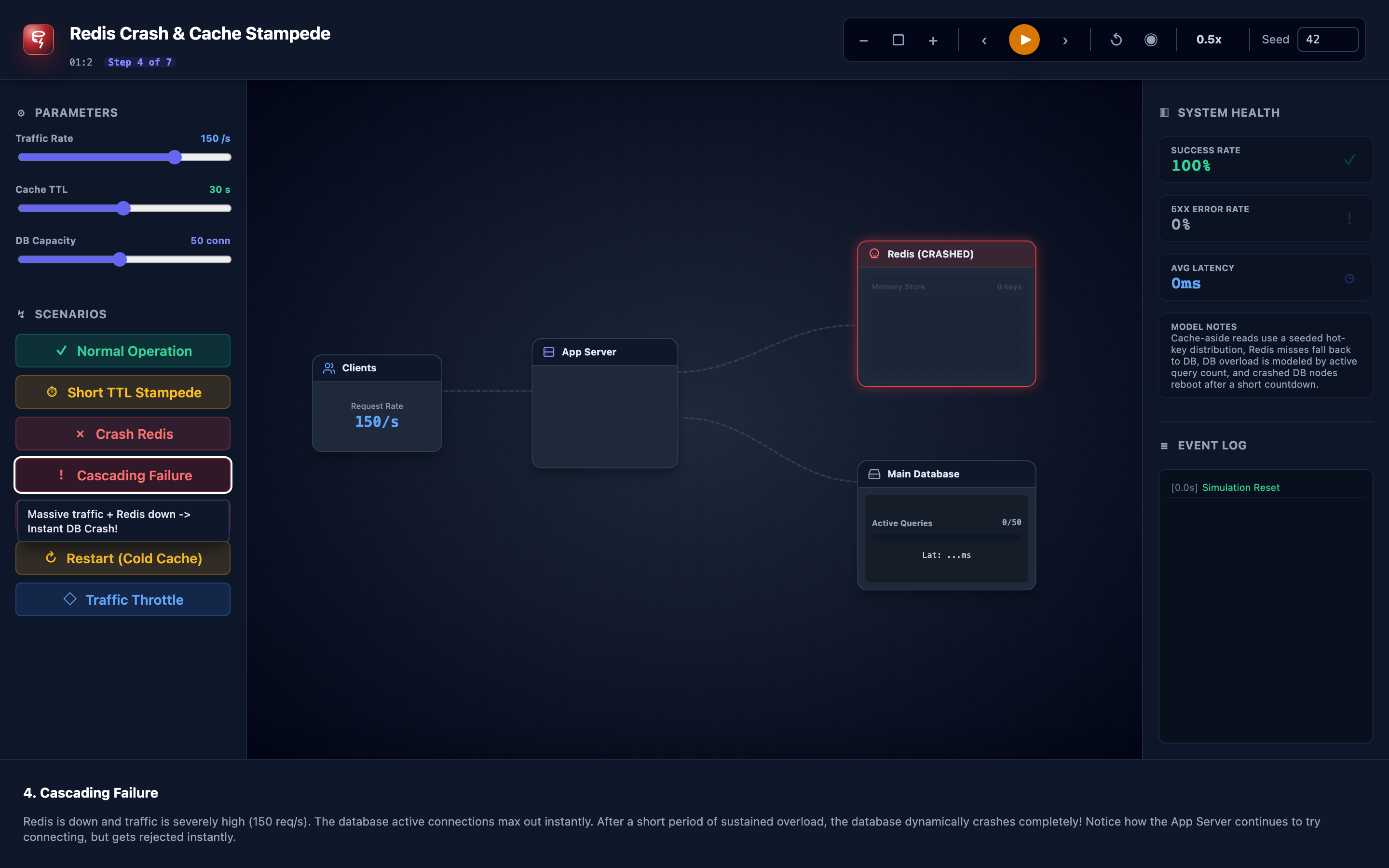
The thundering herd problem is hard to reason about from documentation alone. You need to see how quickly a database saturates when 25,000 requests per second bypass the cache, watch the cold-cache recovery curve climb from 0% to 95%, and feel the cascade of rising latency and 5xx errors.
Launch the Redis Crash & Stampede Simulator → Tune request rate, cache TTL, and database capacity with sliders. Trigger a Redis crash and watch the metrics cascade. Use the scenario presets — Normal, High Load, Crash Redis, Restart Redis, Recovery — to build intuition for how your system will behave when the cache goes down.