Token Bucket vs Leaky Bucket Rate Limiting
Compare fixed window, sliding window, token bucket, and leaky bucket rate limiting, including burst attacks and retry storm failure modes.
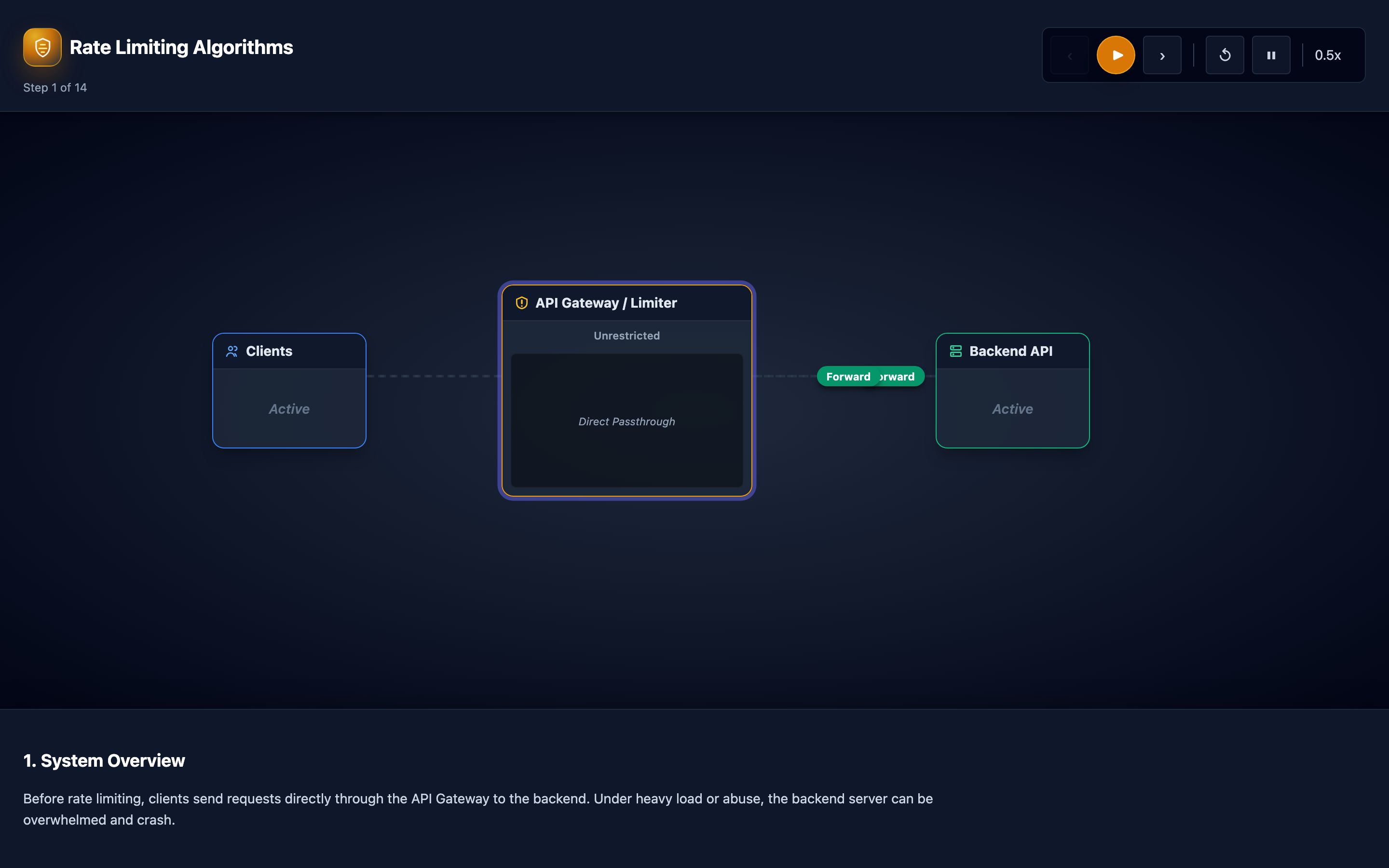
Why this matters: Your Rate Limiter Has a Blind Spot
Your API enforces a rate limit of 100 requests per minute using a fixed window counter. The window resets at the top of each minute. An attacker sends 100 requests at 11:00:59 (last second of minute 1) and another 100 requests at 11:01:00 (first second of minute 2).
Both batches pass the rate check — each is within its respective window. But the backend just processed 200 requests in 2 seconds, double the intended rate. Your database connection pool exhausts, and legitimate users see 503 Service Unavailable for the next 10 seconds.
This is the fixed window boundary burst problem, and it’s one of the most common rate limiting pitfalls in production. Teams implement rate limiting, test it with steady traffic, ship it, and discover months later that their limits can be trivially bypassed by timing requests around window boundaries.
The interactive visualization walks through five algorithms across 14 animated stages. You’ll see requests pass (green) or get rejected (red) at the rate limiter, with the boundary-burst problem visualized with dual time windows side by side. Each algorithm handles edge cases differently, and the tradeoffs between memory usage, accuracy, and burst tolerance become immediately visible.
My rule of thumb The limiter is part of your API contract. If clients do not know how to back off, your rate limiter can turn overload into a retry storm.
The mental model: Five Algorithms Compared
Fixed Window Counter: Divides time into fixed intervals (e.g., 1-minute windows). A counter increments with each request. When the counter hits the limit, subsequent requests are rejected until the next window starts. Implementation is trivial — a single Redis INCR with EXPIRE. But the boundary burst problem means the effective rate can be 2x the intended limit.
# Fixed window with Redis — simple but flawed
redis-cli INCR "rate:user:123:window:202605311100"
redis-cli EXPIRE "rate:user:123:window:202605311100" 60
# Returns count; reject if > 100
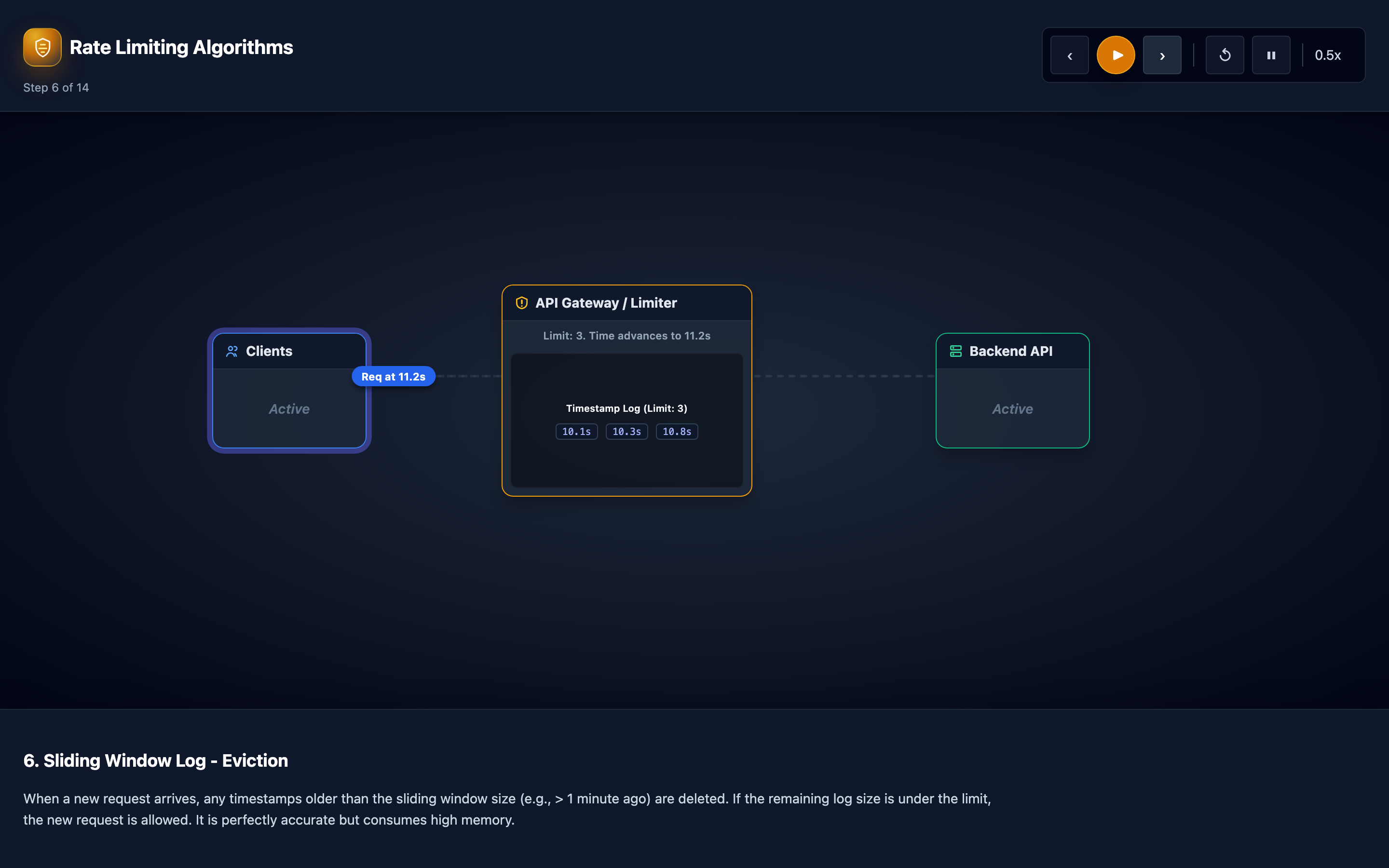
Sliding Window Log: Records the exact timestamp of every request. To check the rate, count all timestamps within the last 60 seconds. This eliminates the boundary burst problem entirely — the window slides continuously.
But it stores every individual timestamp, consuming O(n) memory per client where n is the rate limit. For 10,000 clients with a 1,000 req/min limit, that’s 10 million stored timestamps.
Sliding Window Counter: A compromise between fixed window and sliding window log. It maintains counters for the current and previous windows, then computes a weighted count. If you’re 40% into the current window: effective_count = (previous_window_count × 0.6) + current_window_count. This smooths the boundary burst problem with O(1) memory per client (just two counters).
# Sliding window counter — best balance of accuracy and memory
def check_rate_limit(client_id: str, limit: int, window_seconds: int) -> bool:
    now = time.time()
    current_window = int(now // window_seconds)
    previous_window = current_window - 1
    window_progress = (now % window_seconds) / window_seconds

    prev_count = redis.get(f"rate:{client_id}:{previous_window}") or 0
    curr_count = redis.get(f"rate:{client_id}:{current_window}") or 0

    # Weighted count: smooth the boundary
    effective_count = (int(prev_count) * (1 - window_progress)) + int(curr_count)

    if effective_count >= limit:
        return False  # 429

    redis.incr(f"rate:{client_id}:{current_window}")
    redis.expire(f"rate:{client_id}:{current_window}", window_seconds * 2)
    return True  # 200
Token Bucket: Tokens fill at a constant rate up to a maximum capacity. Each request consumes one token. Allows bursts up to bucket capacity, then enforces the sustained rate. This is the most widely used algorithm in production APIs because it naturally accommodates bursty traffic patterns (dashboard loads, page refreshes) while enforcing long-term limits.
Leaky Bucket: Requests enter a queue (the bucket) and are processed at a fixed output rate. If the bucket is full, new requests are rejected. Unlike token bucket, leaky bucket produces perfectly smooth output — no bursts ever reach the backend. This is ideal for rate-sensitive backends (payment processors, SMS gateways) that can’t handle any burst. The interactive visualization shows the contrast: token bucket lets bursts through while leaky bucket smooths them out.
Hint The visualization’s Stage 8 shows the boundary-burst problem side by side: watch requests pass through fixed window at the boundary while sliding window counter correctly blocks them.
Decisions that matter
-
Window Size (10 seconds – 60 minutes): For fixed and sliding window algorithms. Small windows (10s) react quickly to traffic changes but are more susceptible to noise. Large windows (60 min) smooth out spikes but take longer to recover from limit hits. The interactive visualization shows how window size affects the boundary burst problem.
-
Bucket Capacity (10–1,000 tokens): For token bucket only. Determines the maximum burst size. A capacity of 10 allows only 10 concurrent requests before throttling. A capacity of 1,000 allows massive bursts that can overwhelm backends. Set this to match your application’s legitimate burst pattern — typically 2–5x the number of concurrent API calls a single user action generates.
-
Refill/Drain Rate (1–1,000 tokens/sec): For token bucket, this is the sustained request rate. For leaky bucket, this is the fixed output rate. Should match your backend’s per-client capacity. The interactive visualization shows how this rate determines the steady-state behavior after a burst.
-
Redis vs Local State: Local state (in-memory on each API gateway instance) has zero latency but limits are applied per-instance, not globally. Redis provides global state but adds network round-trip latency (
0.1–5ms) to every rate-limited request. The visualization’s 14 stages include a Redis-backed distributed rate limiting comparison. -
Response Headers (on/off): Including
X-RateLimit-Limit,X-RateLimit-Remaining,X-RateLimit-Reset, andRetry-Afterin responses tells clients their status and when to retry. Without these headers, rate-limited clients retry blindly, creating retry storms.
Where it breaks: Fixed Window Boundary Bursts
The failure mode: Your API rate limit is 100 requests per minute per user, implemented with a fixed window counter that resets at :00 of each minute. A legitimate mobile app bundles 15 API calls per user interaction.
A user interacts at 11:00:55 (15 calls) and again at 11:01:02 (15 calls). Total: 30 requests in 7 seconds, but split across two windows — both pass. Now multiply by 10,000 concurrent users.
At the window boundary, your API processes 300,000 requests in 7 seconds instead of the expected 100,000 per minute. The database connection pool (max 500 connections) exhausts, and the API returns 503 for 8 seconds.
What you will notice: Traffic graphs show sharp spikes exactly at minute boundaries. pgbouncer logs show no more connections allowed at :00 of each minute.
Prometheus query rate(http_requests_total[10s]) shows peaks at 2x the expected rate. Client-side error rates spike periodically on a 60-second cycle.
# Detect boundary burst pattern
# Query for per-second request rates around window boundaries
curl -s "http://prometheus:9090/api/v1/query_range?query=rate(http_requests_total[1s])&start=2026-05-31T11:00:50Z&end=2026-05-31T11:01:10Z&step=1s"
# Look for a spike at the :00 boundary that's 2x the average

# Check database connection exhaustion
grep "no more connections" /var/log/pgbouncer/pgbouncer.log | tail -20
What I would do: Replace fixed window with sliding window counter. The weighted count calculation smooths the boundary: if 80 requests arrived in the last 10 seconds of the previous window and 20 arrived in the first 10 seconds of the current window, the effective count is 80 × 0.83 + 20 = 86.4 — over the limit. The boundary burst is caught.
The interactive visualization shows this comparison side-by-side: watch requests pass through fixed window at the boundary while sliding window correctly blocks them.
Warning If you’re using Redis
INCR+EXPIREfor rate limiting, you have the fixed window boundary burst vulnerability. An attacker can achieve 2x your intended rate limit by timing requests around window boundaries.
Where it breaks: Shared State Bottleneck on Redis
The failure mode: You run 40 API gateway pods across 3 regions, all hitting a single Redis instance for rate limiting. Each gateway checks INCR + EXPIRE on every request — 80,000 rate limit operations per second.
Redis processes these sequentially (single-threaded). The INCR command takes 0.1ms normally, but at 80,000 ops/s, the queue backs up. Redis latency climbs to 15ms p99.
Since rate limiting is on the critical path of every request, your API’s p99 latency increases by 15ms globally. When Redis becomes unreachable (network blip, failover), rate limiting fails — do you fail open (allow all traffic) or fail closed (reject all traffic)?
What you will notice: redis-cli --latency shows increasing baseline latency. INFO commandstats shows cmdstat_incr:calls=80000,usec_per_call=15.00 — 15ms per INCR.
API response times correlate directly with Redis latency. During Redis failover (30-second window), either all requests are allowed (fail-open) or all are rejected (fail-closed), depending on your error handling.
# Monitor Redis throughput
redis-cli INFO commandstats | grep -E "(incr|expire)"
# cmdstat_incr:calls=80000,usec=1200000,usec_per_call=15.00

# Check if Redis is the bottleneck
redis-cli INFO server | grep used_cpu_sys
# If near 100% on single core, Redis is saturated

# Test fail behavior
redis-cli DEBUG sleep 5  # Simulate Redis unavailability
# Watch API behavior: fail-open or fail-closed?
What I would do: Implement local rate limiting with periodic sync. Each API gateway maintains an in-memory rate limiter and syncs with Redis every 2–5 seconds. This reduces Redis operations from 80,000/s to 8–20/s (one sync per pod per interval).
Configure fail-open with a local fallback: if Redis is unreachable, enforce the local rate limit only. This is less accurate but prevents Redis from being a single point of failure on your API’s critical path.
-- Redis Lua script for atomic sliding window counter
-- Reduces to a single Redis round-trip per check
local key = KEYS[1]
local window = ARGV[1]
local limit = tonumber(ARGV[2])
local current = redis.call('INCR', key)
if current == 1 then
    redis.call('EXPIRE', key, window)
end
if current > limit then
    return 0  -- Rejected
end
return 1  -- Allowed
Where it breaks: Retry Storms From Rate-Limited Clients
The failure mode: Your API returns 429 Too Many Requests without a Retry-After header. The client SDK retries immediately. The retry also gets a 429. The SDK retries again with a fixed 1-second delay.
Across 1,000 rate-limited clients, each retrying every second, you generate 1,000 extra requests per second — all of which are also rejected. But they still consume CPU to parse, authenticate, rate-check, and respond.
These “dead” requests consume 30% of your API gateway’s CPU capacity, reducing its ability to serve legitimate traffic. The rate limiter, designed to protect the backend, is now overloading the gateway.
What you will notice: The ratio of 429 responses to total responses exceeds 40%. The rate of 429 responses doesn’t decrease over time — it stays constant or grows because clients keep retrying.
API gateway CPU is elevated despite low legitimate traffic. Prometheus query rate(http_requests_total{status="429"}[1m]) shows a flat, sustained rate instead of the expected decay.
# Check retry storm indicators
# 429 rate should spike then decay — if it stays flat, clients are retrying aggressively
curl -s "http://prometheus:9090/api/v1/query?query=rate(http_requests_total{status='429'}[1m])"
# 1000 <- flat for 10+ minutes = retry storm

# Check if 429 processing is consuming resources
curl -s "http://prometheus:9090/api/v1/query?query=rate(http_request_duration_seconds_sum{status='429'}[1m])"
# Even rejected requests consume CPU for auth + rate check
What I would do: Always include Retry-After header in 429 responses with an appropriate delay. Implement exponential backoff with jitter in your client SDKs. The formula: delay = min(base * 2^attempt + random(0, jitter), max_delay). This spreads retries over time instead of concentrating them.
On the server side, consider returning 429 responses with minimal processing — skip authentication and detailed logging for obviously rate-limited requests to reduce CPU overhead.
# Server: Include Retry-After header
@app.errorhandler(429)
def rate_limited(e):
    retry_after = int(e.description.get('retry_after', 60))
    response = jsonify({"error": "rate_limited", "retry_after": retry_after})
    response.status_code = 429
    response.headers['Retry-After'] = str(retry_after)
    response.headers['X-RateLimit-Remaining'] = '0'
    return response

# Client: Exponential backoff with jitter
import random
def call_api_with_retry(url, max_retries=5):
    for attempt in range(max_retries):
        response = requests.get(url)
        if response.status_code != 429:
            return response
        retry_after = int(response.headers.get('Retry-After', 2 ** attempt))
        jitter = random.uniform(0, retry_after * 0.1)
        time.sleep(retry_after + jitter)
    raise Exception("Max retries exceeded")
Hint The visualization’s retry storm stage shows how
429responses withoutRetry-Afterheaders create a feedback loop. Toggle theRetry-Afterheader on to see how it breaks the storm.
The tradeoff
| Algorithm | Burst Handling | Memory Usage | Accuracy | Complexity |
|---|---|---|---|---|
| Fixed Window | Allows 2x rate at boundaries | O(1) per client | Low — boundary burst problem | Trivial: INCR + EXPIRE |
| Sliding Window Log | Exact — no boundary issue | O(n) per client (n = rate limit) | Highest — exact timestamps | Medium: sorted set per client |
| Sliding Window Counter | Weighted smoothing, ~97% accurate | O(1) per client (two counters) | High — smoothed boundary | Low: two counters + weight calc |
| Token Bucket | Allows bursts up to capacity | O(1) per client | High — burst-aware | Low: tokens + refill timestamp |
| Leaky Bucket | No bursts — smooth output only | O(queue depth) per client | High — strict output rate | Medium: queue management |
A practical checklist
Step 1: Identify which algorithm you’re using. Check your API gateway config. If you see INCR + EXPIRE on a per-minute key, you’re using fixed window — vulnerable to boundary bursts. If you see a sorted set with ZADD + ZRANGEBYSCORE, you’re using sliding window log.
# Check rate limiting implementation
grep -r "rate_limit\|INCR\|ZADD\|token_bucket" src/middleware/
# Identify the algorithm from the implementation pattern
Step 2: Test for boundary burst vulnerability. Send limit - 1 requests in the last second of a window, then limit - 1 requests in the first second of the next window. If both batches pass, you have the boundary burst problem. Migrate to sliding window counter or token bucket.
Step 3: Measure rate limiter overhead. Check the p99 latency of your rate limiting middleware specifically. If it exceeds 5ms, your shared state (Redis) is a bottleneck. Consider local rate limiting with periodic sync.
Step 4: Verify retry behavior. Rate-limit a test client and observe its retry pattern. If it retries immediately or at fixed intervals, implement exponential backoff with jitter. Check for Retry-After headers in your 429 responses.
Step 5: Monitor rate limit effectiveness. Track three metrics: (1) 429 response rate — should be low for legitimate users, (2) requests that pass rate limiting but still overload backends — indicates limits are too high, (3) legitimate users blocked — indicates limits are too low. Adjust based on the balance of these three.
Try it yourself
The visualization steps through 14 stages covering all five algorithms. Watch requests flow as green (accepted) or red (rejected) dots through the rate limiter. See the boundary-burst problem visualized with dual time windows side by side.
Compare token bucket’s burst tolerance against leaky bucket’s smooth output. The difference between O(1) and O(n) memory usage becomes immediately tangible when you see the sliding window log storing every individual timestamp.
Try the interactive Rate Limiting Algorithms visualization — step through fixed window, sliding window, token bucket, and leaky bucket with animated traffic to see when each algorithm blocks requests.