What Happens When Your Load Balancer Crashes Mid-Traffic
Learn the basics of load balancer failover, from health checks and standby nodes to DNS behavior, backend capacity, and recovery tests.
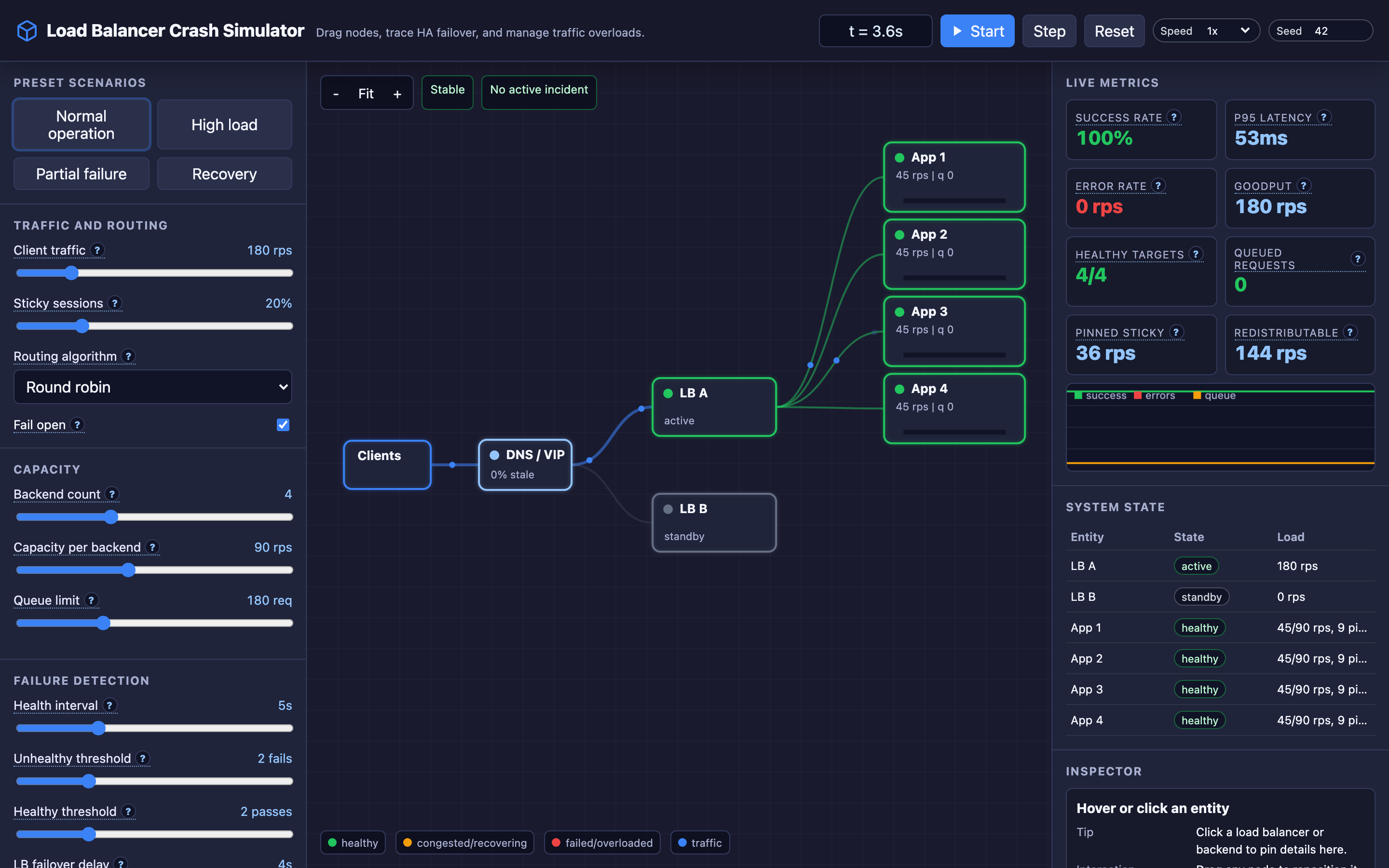
Why Load Balancer Failover Matters
A load balancer is the entry point for all client traffic. Every request — whether it’s a user login, an API call, or a static asset fetch — passes through this single component. When the load balancer crashes, the entire system goes dark.
No health check, no backend capacity plan, and no clever retry logic can help if the front door is locked. The irony is that a load balancer exists to provide reliability, but without a failover strategy, it becomes the most dangerous single point of failure (SPOF) in your entire architecture.
Systems serving production traffic need to treat load balancer availability with the same seriousness as database durability.
My rule of thumb Failover is a user-visible workflow. Measure the whole path from failure detection to recovered client traffic, not just “standby became healthy.”
The mental model: Load Balancer Failover
Active-Standby Architecture
In a high-availability setup, one load balancer actively routes traffic (the primary) while a second instance runs in standby mode. The standby monitors the primary using heartbeat packets sent every 1–3 seconds via VRRP (Virtual Router Redundancy Protocol). Both nodes share a Virtual IP (VIP) — the IP address clients resolve to via DNS.
When the standby detects that the primary has missed several consecutive heartbeats, it promotes itself to active status and assumes the VIP. From the client’s perspective, the IP address hasn’t changed — traffic just starts flowing to the new active node.
Health Checks Drive Routing Decisions
Once the failover completes, the new active load balancer must still route traffic intelligently. It uses health checks (HTTP GET to /health, TCP connection probes, or gRPC health RPCs) to determine which backend servers are alive.
Key parameters:
- Check interval: How frequently to probe backends (typically 5–10 seconds)
- Unhealthy threshold: How many consecutive failures before removing a backend (typically 3)
- Healthy threshold: How many consecutive successes before re-adding a recovered backend (typically 2)
- Timeout: How long to wait for a probe response (typically 2–5 seconds)
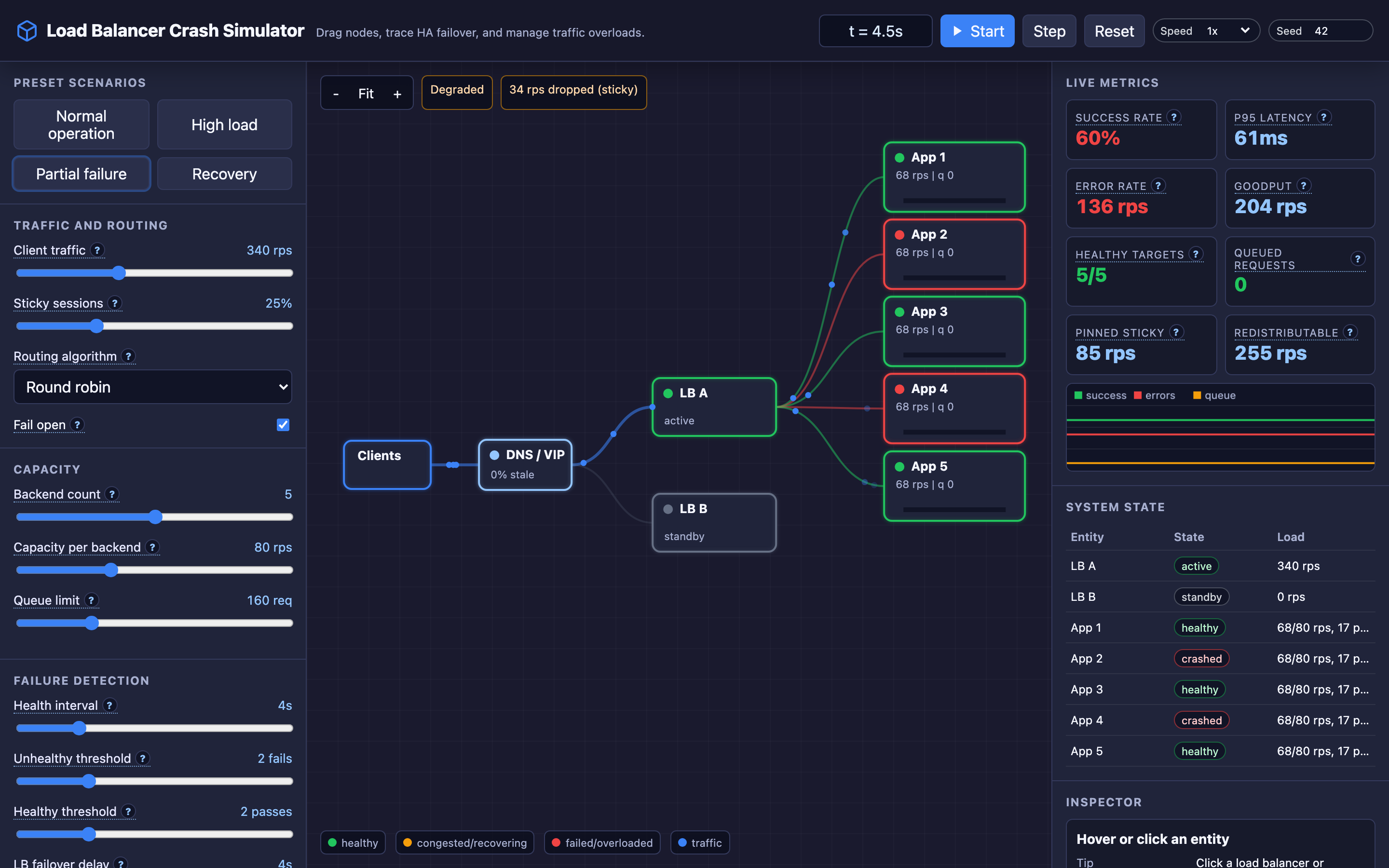
Hint The interactive demo’s “Load Balancer Crash” preset lets you watch active-standby promotion in action. Try adjusting the health check interval to see how detection speed changes.
Where it breaks: Split-Brain VRRP
The failure mode: A network partition between the active and standby load balancers prevents heartbeat packets from reaching the standby. The standby assumes the active is dead and claims the VIP.
Now both nodes are routing traffic simultaneously using the same IP address. This is the split-brain problem — two nodes each believing they are the rightful owner of the VIP.
What you will notice:
- Duplicate ARP responses for the VIP visible in switch logs
- Clients receive inconsistent responses (some hitting one LB, some the other)
- Backend connection counts double unexpectedly
- Intermittent “connection reset” errors on the client side
What I would do:
- Implement STONITH (Shoot The Other Node In The Head) fencing — when a node assumes the VIP, it forcefully shuts down the other node via IPMI or cloud API
- Use a witness/quorum node to break the tie and determine which LB should own the VIP
- Configure ARP gratuitous broadcasts on promotion to flush stale MAC entries from network switches
Warning Without a fencing mechanism like STONITH, a healed network partition can leave both nodes actively routing traffic — causing data corruption and unpredictable client behavior.
Where it breaks: Standby Resource Mismatch
The failure mode: The standby load balancer is provisioned with a smaller instance type to save costs (e.g., primary is c5.2xlarge, standby is c5.large). When failover occurs during a traffic spike, the standby immediately reaches CPU and memory limits, crashing under the same load.
What you will notice:
- CPU at 100% within seconds of failover, visible in CloudWatch or Prometheus
- Connection timeouts spike across all clients
dmesgshows OOM killer activity on the new active node- The system fails over again (if there’s a third node) or goes completely down
What I would do:
- Always match standby capacity to primary capacity — HA is not a cost-saving measure
- Run periodic failover drills under production-like load (e.g., Netflix-style Chaos Monkey for LBs)
- Configure auto-scaling for the LB tier itself (e.g., AWS ALB scales automatically, but self-managed HAProxy/Nginx does not)
Where it breaks: DNS Cache Prevents Client Recovery
The failure mode: Even after a successful failover, clients hold stale DNS records pointing to the old load balancer IP. If the failover involves a DNS change (as opposed to a shared VIP), clients continue sending requests to the dead IP until their local DNS cache expires.
What you will notice:
- Monitoring shows the new LB receiving less traffic than expected post-failover
- Client-side errors show “connection refused” or “host unreachable” while server-side metrics look healthy
digfrom affected clients returns the old IP address- Recovery is gradual (follows TTL expiration curve, not a sharp recovery)
What I would do:
- Use VIP-based failover (
VRRP/Keepalived) so clients never need to resolve a different IP - If DNS-based failover is required, set
TTLto 30–60 seconds during normal operation - Use Route 53 health-checked failover or Cloudflare load balancing which handles DNS updates within seconds
The tradeoff
| Approach | Pros | Cons |
|---|---|---|
| VIP with VRRP | Instant failover (~3s), no DNS dependency | Requires L2 network adjacency, split-brain risk |
| DNS-based failover | Works across regions and cloud providers | Slow failover (depends on TTL), client caching issues |
| Cloud LB (ALB/NLB) | Managed HA, auto-scaling, no maintenance | Vendor lock-in, less control over routing logic |
| Active-Active | No idle standby waste, higher throughput | Complex state synchronization, harder debugging |
Hint After reviewing the tradeoffs, VIP with
VRRPis the best default for single-region deployments. Use DNS-based failover only when spanning regions or cloud providers.
A practical debugging checklist
- Check VRRP state: Run
ip addr showon both nodes — only one should own the VIP - Verify ARP tables:
arp -non downstream switches should show the VIP mapped to one MAC only - Test health check endpoints:
curl -v http://backend:8080/healthfrom the LB node itself - Check connection drain: Verify backends in “draining” state are not receiving new connections
- DNS TTL audit: Run
dig +trace your-domain.comto check current TTL values and propagation
Try it yourself
Understanding load balancer failover requires seeing the timing play out. Try the interactive Load Balancer Crash simulator to watch active-standby promotion, health check behavior during recovery, and how client connections recover after failover.
You can also explore the Load Balancing algorithms visualization to compare how Round Robin, Least Connections, and IP Hash affect traffic distribution post-recovery, and the DNS Resolution visualization to see how TTL caching delays client recovery.