How Kubernetes Decides When to Kill and Restart Your Container
Learn how Kubernetes liveness, readiness, and startup probes control pod traffic, restarts, CrashLoopBackOff, and dependency failures.
Why this matters: Your Pod Is Running But Nobody’s Home
Your deployment shows 5/5 pods in Running state. kubectl get pods reports everything green. But users are getting 502 errors. The load balancer is sending requests to pods that accepted the TCP connection but aren’t actually ready to serve traffic — the application inside is still loading a 2GB machine learning model into memory.
In another scenario, your Java API has a memory leak that causes it to stop responding to requests after 4 hours. The process is still alive — it hasn’t crashed — so Kubernetes thinks everything is fine. The pod sits there accepting connections and timing out every single one. Without health checks, Kubernetes has no way to distinguish “running and healthy” from “running and completely broken.”
This is exactly what liveness probes and readiness probes solve. Liveness probes tell Kubernetes when a container is so broken it needs to be killed and restarted. Readiness probes tell Kubernetes when a container is ready to receive traffic. They answer two fundamentally different questions, and confusing them is one of the most common sources of production incidents in Kubernetes.
Practical note Health checks should answer one narrow question at a time. Mixing liveness and readiness is how a partial dependency outage turns into a restart storm.
The mental model: Three Probes, Three Questions
Kubernetes supports three probe types, each running on a configurable interval via the kubelet on every node.
Liveness probes answer: “Is this container still functional?” The kubelet sends an HTTP GET, TCP connect, or exec command at the configured interval. If the probe fails failureThreshold consecutive times, Kubernetes kills the container and restarts it according to the pod’s restart policy. Think of liveness as a deadlock detector — it catches states where the process is alive but permanently broken.
Readiness probes answer: “Can this container serve traffic right now?” When readiness probes pass successThreshold consecutive times, the pod’s IP is added to the Service’s endpoint list and the load balancer starts routing traffic to it. When readiness fails, the pod is removed from endpoints — it stops receiving new requests but isn’t killed. Think of readiness as a traffic gate.
Startup probes answer: “Has this container finished starting up?” They run during the initial boot phase and suppress liveness and readiness probes until they succeed. This prevents slow-starting apps (loading caches, running migrations, warming JIT) from being killed by liveness probes before they’re even initialized.
# Complete probe configuration for a Java API
apiVersion: v1
kind: Pod
spec:
  containers:
    - name: api
      image: myapp:v2.1.0
      ports:
        - containerPort: 8080
      startupProbe:
        httpGet:
          path: /health/startup
          port: 8080
        periodSeconds: 5
        failureThreshold: 30  # 30 * 5s = 150s max startup time
      livenessProbe:
        httpGet:
          path: /health/live
          port: 8080
        periodSeconds: 10
        failureThreshold: 3
        timeoutSeconds: 3
      readinessProbe:
        httpGet:
          path: /health/ready
          port: 8080
        periodSeconds: 5
        failureThreshold: 3
        successThreshold: 2
        timeoutSeconds: 3
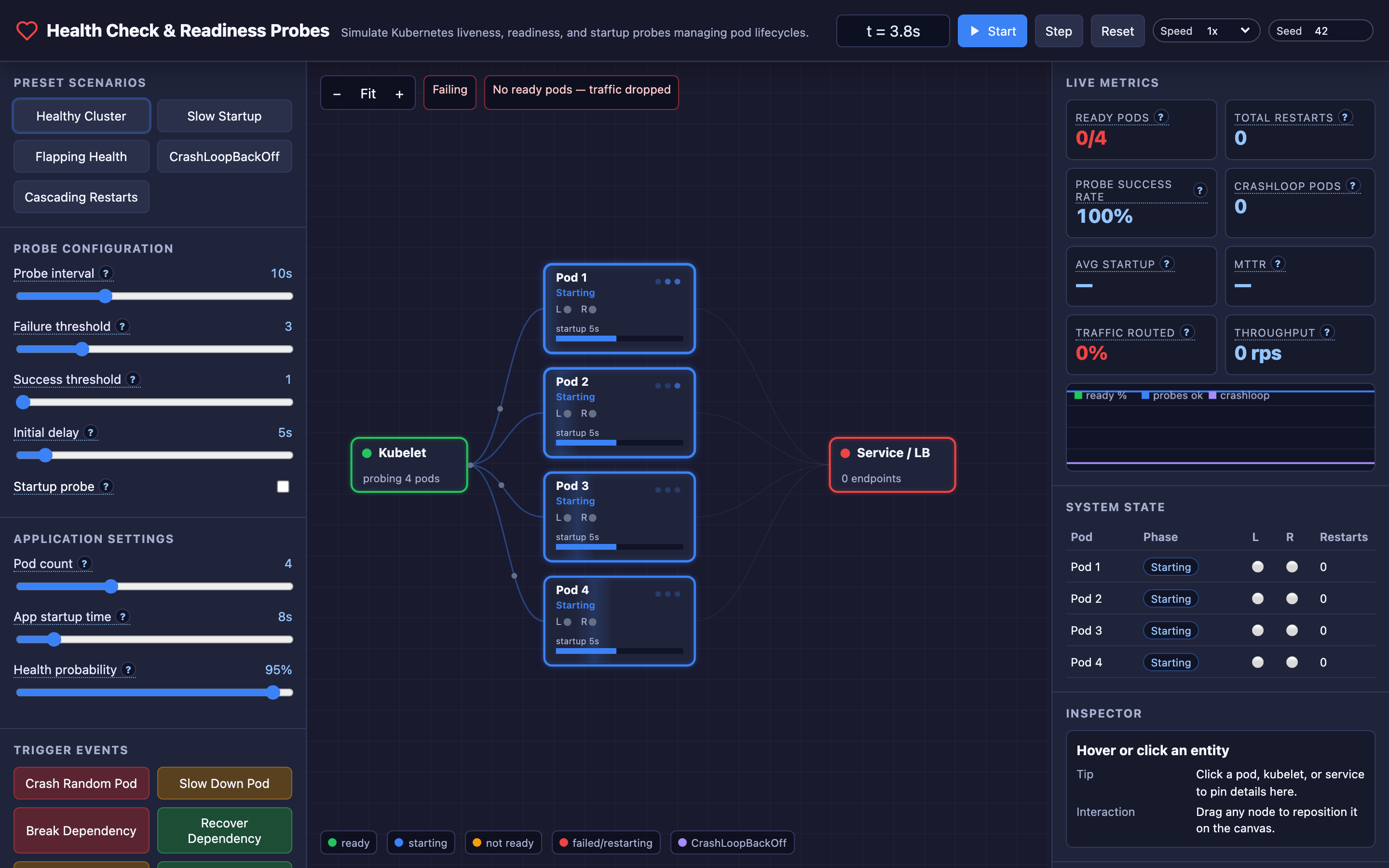
In the interactive demo, you can watch pods transition through their full lifecycle: Pending → Starting → Running → Ready. The kubelet runs probes at the configured interval, and you can see probe results (pass/fail) update in real time. When liveness fails repeatedly, the pod is killed and restarted. When readiness fails, the pod is removed from the service’s traffic routing but keeps running.
Decisions that matter
| Parameter | Range | Low End Effect | High End Effect |
|---|---|---|---|
| Probe Interval (periodSeconds) | 1s – 30s | Very frequent checks. Fast failure detection (~3s to detect death with failureThreshold=3). But high kubelet CPU overhead across hundreds of pods. | Slow detection. With 30s interval and threshold=3, it takes 90s to detect a dead container. Users experience errors for 90 seconds. |
| Failure Threshold | 1 – 10 | Single failure triggers action. Very aggressive — transient blips cause unnecessary restarts. | 10 consecutive failures required. Very tolerant — genuinely broken containers serve errors for minutes before being killed. |
| Success Threshold | 1 – 5 | Pod becomes Ready after a single passing probe. Fast recovery but risks routing traffic to a pod that passed once by luck. | Requires 5 consecutive passes. Slow recovery but high confidence the pod is genuinely healthy. |
| Initial Delay (initialDelaySeconds) | 0s – 60s | Probes start immediately after container creation. If the app takes 20s to start, liveness will fail and kill it before it’s ready. | 60s grace period. Safe for slow starters but delays failure detection of genuinely broken containers by a full minute. |
| Health Probability | 0% – 100% | Every probe fails. Pod enters CrashLoopBackOff within seconds. Useful for testing failure behavior. | Every probe passes. Perfectly healthy cluster. Probes never trigger any action. |
Where it breaks: Health Check Cascade — Killing Pods Makes Everything Worse
The failure mode: Your deployment has 4 pods, each handling 250 requests/second (1000 rps total). Pod 1’s liveness probe fails and Kubernetes kills it. The remaining 3 pods now each handle 333 rps. They were already at 75% CPU utilization — now they’re at 100%.
Under this load, their health check endpoints take longer to respond. Pod 2’s liveness probe times out (the 3-second timeout is too short under load). Kubernetes kills Pod 2. Now 2 pods handle 500 rps each. Both are overloaded. Both start failing liveness probes. Kubernetes kills them. Zero pods. Total outage.
What you will notice:
kubectl get podsshows rapid cycling: pods going from Running → Terminating → Pending → Runningkubectl describe podshowsLiveness probe failed: context deadline exceededacross multiple pods- Prometheus shows
kube_pod_container_status_restarts_totalincrementing for all pods simultaneously - The service’s endpoint count drops from 4 → 3 → 2 → 0 in the span of 60 seconds
- Application CPU usage spikes to 100% on each remaining pod as load redistributes
What I would do: Set liveness probe timeoutSeconds to at least 2x your expected response time under peak load. Increase failureThreshold to 5+ so that transient slowness doesn’t trigger kills.
Consider using a dedicated /health/live endpoint that does minimal work (returns 200 if the process is alive) rather than checking application logic.
Hint The interactive demo’s “Cascading Restarts” preset demonstrates this scenario. Try reducing
failureThresholdto1and watch how quickly the entire cluster goes down.
# Liveness probe designed to avoid cascading kills
livenessProbe:
  httpGet:
    path: /health/live  # Only checks "am I alive", not "am I fast"
    port: 8080
  periodSeconds: 10
  timeoutSeconds: 10     # Generous timeout for load spikes
  failureThreshold: 6    # 60s of consecutive failures before kill
Where it breaks: Liveness Probe Deadlock — Checking Dependencies You Shouldn’t
The failure mode: Your liveness probe endpoint checks the database connection: SELECT 1 FROM dual. The database goes down for maintenance. Every pod’s liveness probe fails. Kubernetes restarts every pod.
The new pods start, try the liveness check, fail (database is still down), and get killed again. The pods enter CrashLoopBackOff with exponential backoff: 10s → 20s → 40s → 80s → 160s → 300s. Even after the database comes back 5 minutes later, the pods are in a 5-minute backoff window and don’t attempt to start for another 5 minutes.
What you will notice:
kubectl get podsshows all pods inCrashLoopBackOffstatekubectl describe podshowsBack-off restarting failed containerwith increasing backoff timeskubectl logs <pod>shows the application starting successfully, then the liveness probe failing with a database connection error- The database monitoring dashboard shows the database is back online, but all pods are still in backoff
kube_pod_container_status_waiting_reason{reason="CrashLoopBackOff"}metric is non-zero for all pods
What I would do: Never check downstream dependencies in your liveness probe. Liveness should answer “is my process fundamentally broken?” — not “are all my dependencies available?”
Move dependency checks to the readiness probe. If the database is down, readiness fails, traffic stops flowing to the pod, but the pod stays alive and can recover instantly when the database returns.
Warning Putting database or cache health checks in your liveness probe creates a blast radius: a single dependency outage will restart every pod in your deployment and trigger CrashLoopBackOff.
// Health check endpoints with proper separation
func livenessHandler(w http.ResponseWriter, r *http.Request) {
    // Only check: is this process alive and not deadlocked?
    w.WriteHeader(http.StatusOK)
    w.Write([]byte("ok"))
}

func readinessHandler(w http.ResponseWriter, r *http.Request) {
    // Check downstream dependencies here
    if err := db.Ping(r.Context()); err != nil {
        w.WriteHeader(http.StatusServiceUnavailable)
        w.Write([]byte("database unavailable"))
        return
    }
    if err := cache.Ping(r.Context()); err != nil {
        w.WriteHeader(http.StatusServiceUnavailable)
        w.Write([]byte("cache unavailable"))
        return
    }
    w.WriteHeader(http.StatusOK)
    w.Write([]byte("ready"))
}
In the interactive demo, press the Break Dependency button to simulate a database outage. Watch all readiness probes fail and pods get removed from the service endpoints — but crucially, liveness probes still pass, so pods aren’t restarted. Press Recover Dependency and watch pods return to Ready within seconds.
Where it breaks: Startup Probe Timeout — Killing Slow Starters Before They’re Ready
The failure mode: Your application takes 45 seconds to start — it loads a machine learning model, warms a cache, and runs database migrations. The deployment has initialDelaySeconds: 3 and failureThreshold: 3 with a 10-second interval.
The liveness probe starts checking at t=3s. The app isn’t ready. Probe fails at t=3s, t=13s, t=23s. Three consecutive failures. Kubernetes kills the container at t=23s. The container restarts and the cycle repeats. The pod never successfully starts.
What you will notice:
kubectl describe podshowsRestart Count: 12and climbing- Pod events show repeated
Killing→Created→Started→Killingcycles - Application logs show
Starting application...but never showApplication ready - The longest any container lives is
initialDelaySeconds + (failureThreshold * periodSeconds)— in this case, 33 seconds kube_pod_container_status_restarts_totalincreases by 1 every ~35 seconds
What I would do: Add a startup probe with a generous failure threshold. The startup probe runs during boot and suppresses liveness/readiness probes until it passes. Set failureThreshold * periodSeconds to at least 2x your worst-case startup time.
Hint The interactive demo’s “Slow Startup” preset configures exactly this scenario. Toggle the startup probe on and off to see the difference between pods that boot successfully and pods stuck in a kill loop.
# Startup probe for a slow-starting application
startupProbe:
  httpGet:
    path: /health/startup
    port: 8080
  periodSeconds: 5
  failureThreshold: 60  # 60 * 5s = 300s (5 min) max startup time
  # Liveness and readiness probes won't run until this passes
The tradeoff
| Approach | Pros | Cons |
|---|---|---|
| Frequent probes (1-3s interval) | Fast failure detection. Pod removed from service in 3-9 seconds. Minimal user-facing errors. | High kubelet CPU overhead at scale. 1000 pods × 1s interval = 1000 probe requests/second per node. |
| Infrequent probes (20-30s interval) | Minimal kubelet overhead. Fewer false positives from transient blips. | Slow detection. A dead pod serves errors for 60-90 seconds before removal. |
| Low failure threshold (1-2) | Extremely fast response to genuine failures. | High false-positive rate. A single slow response triggers a restart or endpoint removal. |
| High failure threshold (6-10) | Tolerant of transient issues. Reduces unnecessary restarts and flapping. | Genuinely broken containers serve errors for minutes before action is taken. |
| Dependency checks in liveness | Guarantees the pod can actually serve requests, not just that the process is alive. | Creates a blast radius: downstream outages cause all pods to restart and enter CrashLoopBackOff. |
| Minimal liveness check | Pods survive dependency outages. Readiness handles traffic gating. Fast, cheap probe. | A pod could be “alive” but unable to serve any requests. Requires readiness probe for traffic gating. |
A practical checklist
Step 1: Separate your health endpoints. Create three distinct endpoints: /health/startup (returns 200 when the app has finished initializing), /health/live (returns 200 if the process is functional — no dependency checks), and /health/ready (returns 200 if the pod can serve traffic — includes dependency checks).
Step 2: Measure your actual startup time. Run kubectl logs <pod> --timestamps and calculate the time between container start and “application ready” log line. Set your startup probe’s total timeout (failureThreshold * periodSeconds) to 2-3x this value.
Step 3: Tune for your load profile. Run kubectl top pods during peak traffic. If CPU usage exceeds 80%, increase liveness probe timeoutSeconds to account for slow responses under load. A 3-second timeout is too aggressive when your pod is at 90% CPU.
Step 4: Monitor probe failures. Set up a Prometheus alert on kube_pod_container_status_restarts_total increasing by more than 3 in 15 minutes. This catches CrashLoopBackOff early. Also alert on kube_endpoint_address_not_ready to detect readiness probe failures.
Step 5: Test failure scenarios in staging. Use the interactive demo’s event buttons — Crash Random Pod, Break Dependency, Inject Memory Leak — to practice incident response. Verify that your probe configuration handles each scenario without cascading failures.
# Quick diagnostic commands
kubectl get pods -o wide                           # Current pod states
kubectl describe pod <pod> | grep -A 5 "Liveness"  # Probe config
kubectl events --for pod/<pod> --watch              # Real-time events
kubectl logs <pod> --previous                       # Logs from crashed container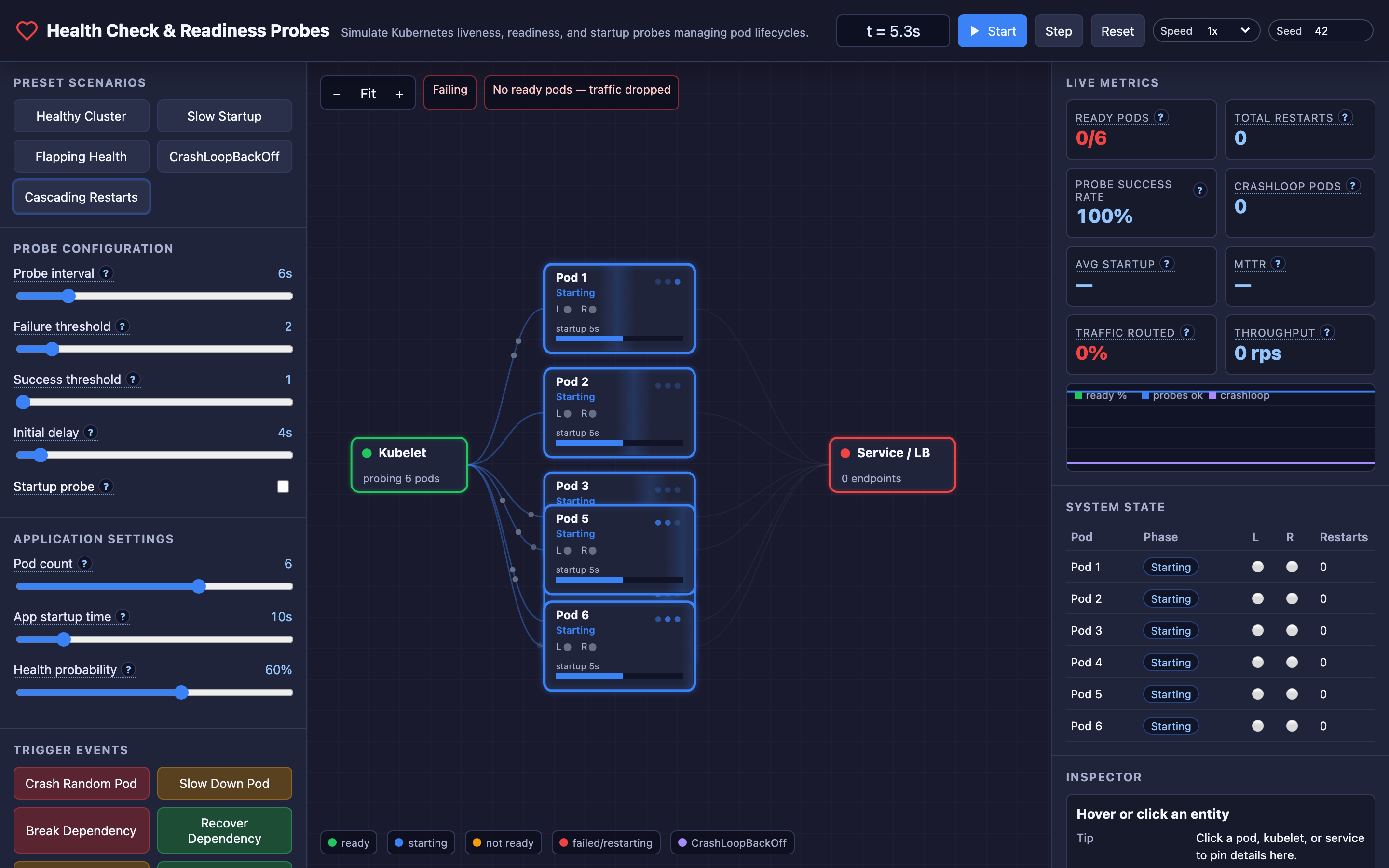
Try it yourself
The interactive demo visualizes the complete Kubernetes pod lifecycle. Watch pods transition through Pending → Starting → Running → Ready as probes pass.
Crash a random pod and see Kubernetes detect the failure, kill the container, and restart it. Break an external dependency and watch readiness probes fail across all pods — removing them from the service but keeping them alive. Inject a memory leak and observe how memory pressure degrades health check responses.
Try the interactive Health Check & Readiness Probes demo → Experiment with probe intervals, failure thresholds, startup delays, and failure scenarios to understand how Kubernetes keeps your application alive — and when it makes things worse.