How Teams Ship Code 50 Times a Day Without Breaking Things
Learn how CI/CD pipelines move code safely through build, test, deploy, and rollback stages while avoiding flaky tests and staging drift.
Why CI/CD Pipelines Matter
A team of 20 engineers generates 30–50 commits per day. Without automation, each commit requires manual building, testing, and deployment — a process that takes 2–4 hours per change. At that rate, the team ships once a week (at best), with each release bundling dozens of changes that make debugging production issues nearly impossible.
CI/CD pipelines automate the path from code commit to production deployment. Modern engineering organizations like Google, Meta, and Spotify ship code hundreds of times per day because their pipelines catch bugs in minutes, not days. But the pipeline itself can become the biggest bottleneck if not configured carefully — flaky tests, queue congestion, and deployment gates create their own failure modes.
The difference between a 10-minute pipeline and a 90-minute pipeline isn’t just developer experience — it directly impacts DORA metrics (deployment frequency, lead time for changes, change failure rate, MTTR) that correlate with organizational performance.
My rule of thumb A pipeline should make the common path boring. If engineers dread pushing small changes, the pipeline is no longer reducing risk; it is concentrating it.
The mental model: Pipeline Stages
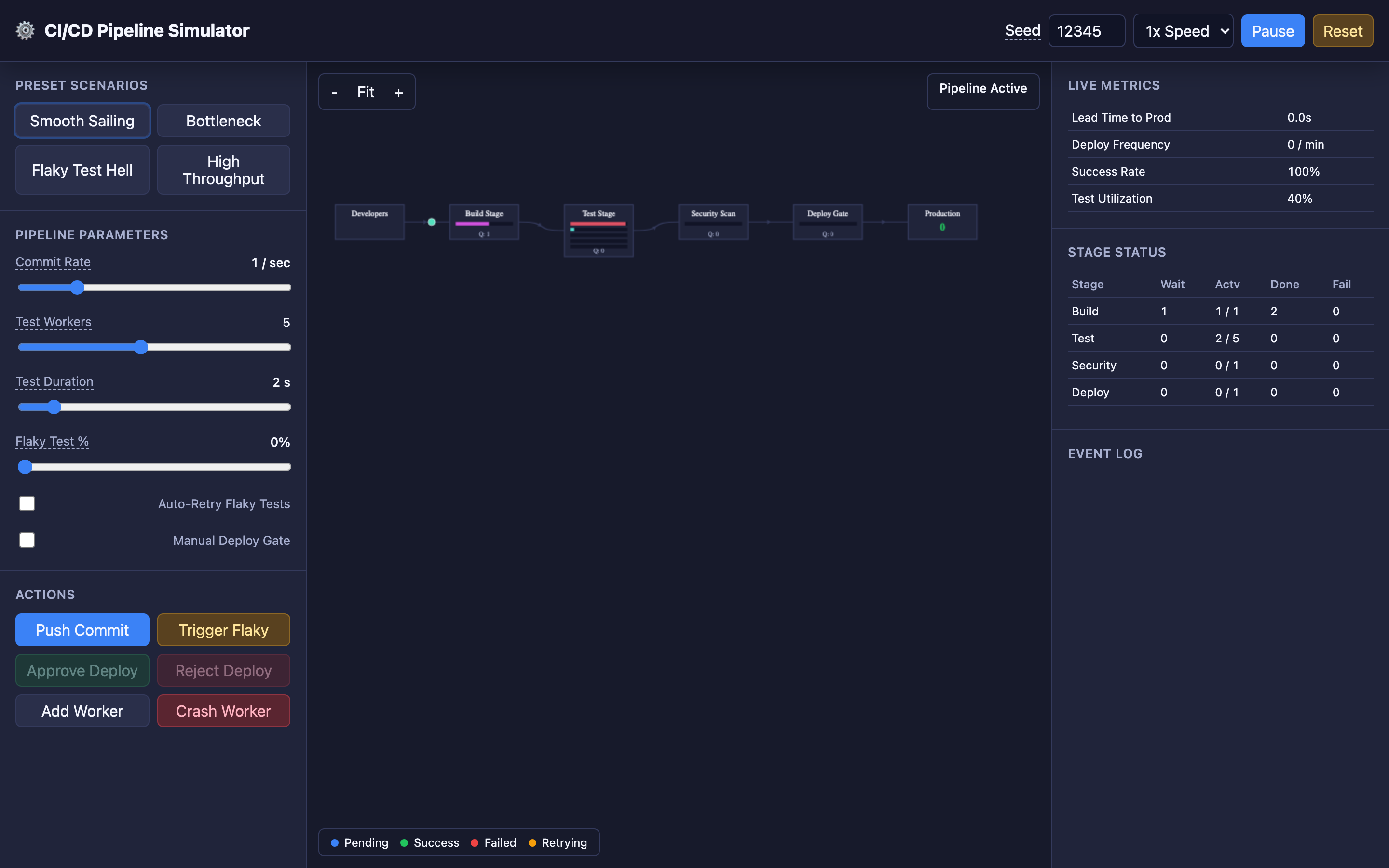
A CI/CD pipeline moves each commit through sequential stages:
-
Source / Developers: Engineers push commits. The commit rate determines incoming pressure on the pipeline.
-
Build Stage: Compiles code, builds container images, resolves dependencies. A typical build takes 1–5 minutes. Failures here usually mean syntax errors or dependency conflicts.
-
Test Stage: The main bottleneck. Runs unit tests, integration tests, and E2E tests. This stage benefits most from parallelism — multiple test workers can process different commits simultaneously. Test duration and flaky test rate are the two most impactful parameters.
-
Security Scan: Static analysis (SAST), dependency vulnerability scanning (SCA), and container image scanning. Usually fast (30–60 seconds) but can block on critical vulnerabilities.
-
Deploy Gate: The final checkpoint before production. Can be automatic (continuous deployment) or require manual approval (continuous delivery). Manual gates introduce human bottlenecks.
-
Production: The commit is live. Lead time and deployment frequency metrics are calculated from this point.
Decisions that matter
| Parameter | Range | Low Setting Impact | High Setting Impact |
|---|---|---|---|
| Commit Rate | Low–High | Pipeline stays idle, low utilization | Queue congestion if test capacity is insufficient |
| Test Workers | 1–8 | Serial execution, massive queues at high commit rates | Parallel processing, near-zero queue times |
| Test Duration | Fast–Slow | Quick feedback, higher throughput | Longer lead times, worker capacity becomes critical |
| Flaky Test % | 0–50% | Clean pipeline, reliable signal | Blocked deployments, wasted retries, eroded trust |
| Auto-Retry | On/Off | Flaky failures block pipeline immediately | Masks flaky tests but increases worker load and lead time |
| Manual Deploy Gate | On/Off | Fully automated deployment (CD) | Human bottleneck, delayed releases during off-hours |
Where it breaks: Flaky Tests Blocking the Pipeline
The failure mode: Non-deterministic tests — tests that pass or fail randomly with the same code — block legitimate deployments. A test that fails 10% of the time will block 1 in 10 commits. With 30 commits/day, that’s 3 blocked deployments daily, each requiring manual investigation.
What you will notice:
- Pipeline success rate drops below 90% despite no actual bugs
- The same test appears in failure logs across different commits with different error messages
- Build logs show tests passing on retry without code changes
- Team velocity drops as engineers wait for “green builds” or manually re-trigger pipelines
# GitHub Actions: Quarantine flaky tests
jobs:
  test:
    steps:
      - name: Run stable tests
        run: pytest -m "not flaky" --junitxml=results.xml
      - name: Run quarantined tests (non-blocking)
        continue-on-error: true
        run: pytest -m "flaky" --junitxml=flaky-results.xml
What I would do:
- Test quarantine: Tag flaky tests with
@flakyand run them in a separate non-blocking job. They report results but don’t gate deployment. - Automatic retry with tracking: Enable auto-retry (up to 2 times) but log every retry. If a test is retried more than 3 times in a week, auto-quarantine it.
- Root cause the flakiness: Most flaky tests are caused by shared state, timing dependencies, or external service calls. Replace real HTTP calls with mocks, use fixed seeds for randomized tests.
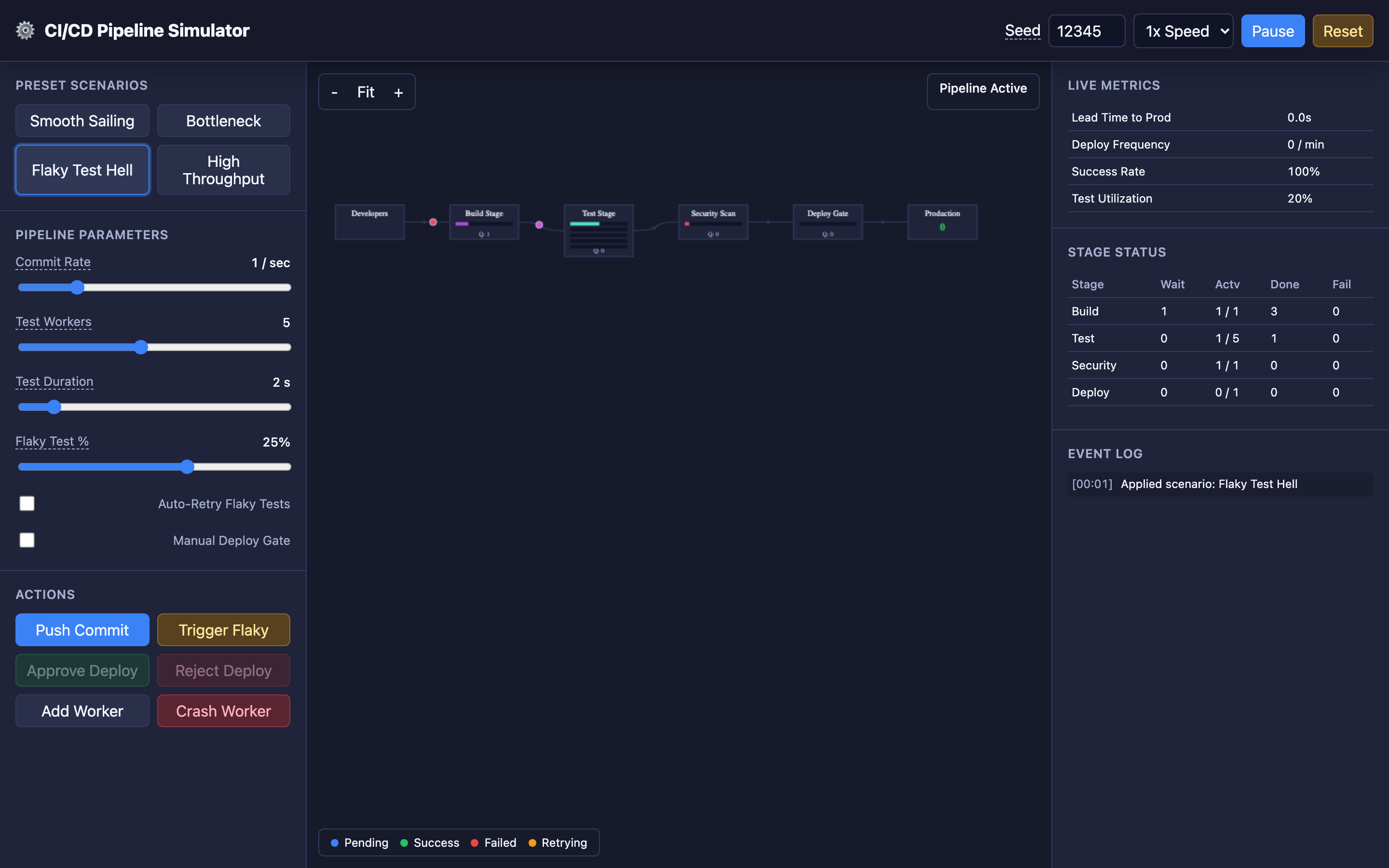
Hint The interactive demo’s “Flaky Test Hell” preset demonstrates this scenario. Set the flaky test rate to 30% and watch how pipeline throughput collapses. Then enable auto-retry to see the tradeoff between throughput and worker load.
Where it breaks: Test Queue Congestion (Little’s Law)
The failure mode: The commit rate exceeds the test stage throughput. With 1 test worker and a 5-minute test duration, the pipeline can process 12 commits/hour. If engineers push 20 commits/hour, the queue grows by 8 commits every hour. By afternoon, lead times exceed 2 hours.
What you will notice:
- Queue length before the test stage grows linearly throughout the day
- Lead time for changes increases steadily (not a spike — a ramp)
- Test workers show 100% utilization while build and deploy stages are idle
- Engineers complain about “slow pipelines” during peak hours (10 AM–4 PM)
# Monitor pipeline queue depth (GitLab example)
curl -s "https://gitlab.example.com/api/v4/projects/1/pipelines?status=pending" \
  | jq 'length'
# Alert if pending > 10
What I would do:
- Add test workers: Scale horizontal test capacity. Little’s Law:
L = λW(queue length = arrival rate × service time). To keep queue near zero: workers ≥commit_rate × test_duration. - Reduce test duration: Split the test suite into fast unit tests (run always) and slow integration tests (run on merge to main only). A 10-minute suite split into 2-minute unit + 8-minute integration saves most commits from the full wait.
- Parallel test execution: Use test splitting tools (e.g.,
pytest-split,jest --shard, CircleCI test splitting) to distribute tests across workers.
Where it breaks: Environment Drift Between Staging and Production
The failure mode: The staging environment where tests run diverges from production. Different OS versions, missing environment variables, different database schemas, or stale test data cause tests to pass in staging but fail in production. The pipeline gives false confidence.
What you will notice:
- Deployments pass all pipeline gates but fail immediately in production
- Production errors reference configuration, environment variables, or database columns that don’t exist in staging
docker diffbetween staging and production images shows unexpected differences- Change failure rate (DORA metric) is high despite a “green” pipeline
# Terraform: Enforce identical staging and production
module "staging" {
  source       = "./modules/app-environment"
  env_name     = "staging"
  instance_type = var.instance_type
  db_version   = var.db_version
}

module "production" {
  source       = "./modules/app-environment"
  env_name     = "production"
  instance_type = var.instance_type  # Same as staging
  db_version   = var.db_version      # Same as staging
}
Warning Building separate Docker images for staging and production is a common source of environment drift. Always build the image once, test it in staging, and deploy the exact same image to production.
What I would do:
- Infrastructure as Code (IaC): Define both environments using the same Terraform/Pulumi modules with environment-specific variables only for names and scaling.
- Immutable build artifacts: Build the Docker image once, test it in staging, and deploy the exact same image to production. Never rebuild for production.
- Contract testing: Use tools like Pact to verify API contracts between services. If staging tests pass but the production database schema is different, contract tests catch it.
The tradeoff
| Approach | Pros | Cons |
|---|---|---|
| Full test suite on every commit | Maximum safety, catches all regressions | Slow feedback, high worker cost |
| Split: unit (always) + integration (merge only) | Fast feedback for most commits | Integration bugs found later in the cycle |
| Auto-retry flaky tests | Unblocks pipeline automatically | Masks real issues, wastes worker capacity |
| Manual deploy gate | Human review before production | Bottleneck during off-hours, slows lead time |
| Fully automated deployment (CD) | Fastest lead time, continuous flow | Requires high test confidence, rollback strategy needed |
| Parallel test workers (8+) | Near-zero queue times | Higher infrastructure cost, resource contention |
Hint Start by measuring your DORA metrics before optimizing. If your lead time is dominated by test duration, invest in parallelism. If it’s dominated by manual approval, consider moving to continuous deployment with canary releases as a safety net.
A practical debugging checklist
- Check DORA metrics: Lead time, deployment frequency, change failure rate, MTTR — these four metrics tell you pipeline health
- Inspect queue depth:
pending_jobs / active_workerstells you if you need more capacity - Find flaky tests:
grep -c "RETRY" build-logs/*.log— any test retried more than 3 times/week needs quarantine - Measure stage durations: Break down lead time by stage to find the bottleneck (
build: 2min, test: 12min, scan: 1min, deploy: 3min) - Compare staging vs production:
diff <(kubectl get pods -n staging -o yaml) <(kubectl get pods -n production -o yaml)reveals drift
Try it yourself
Understanding pipeline dynamics requires watching commits flow through stages under different conditions. Try the interactive CI/CD Pipeline simulator to experiment with:
- Smooth Sailing preset — balanced pipeline with moderate commit rate and multiple workers
- Bottleneck preset — high commit rate with too few test workers, watch queues explode
- Flaky Test Hell preset — high flaky test probability blocking the pipeline
- High Throughput preset — maximum parallel workers handling high commit volume
Use the Crash Worker button to see what happens when test capacity suddenly drops, and the Trigger Flaky button to force a test failure and observe retry behavior.